Floor plan and capacity switcher
One control that swaps a room between seated dinner, theatre, cocktail and ceremony, with a plan and figures for each.
A managed, custom-coded website for wedding and event venues, banquet halls, barns and hotels with function space: live in 7 days, 90+ PageSpeed, weekly researched articles and hosting included, from one monthly fee.

Illustrative room, drawn to show the layout view. Your plans replace it at onboarding.
Every kind of room worth booking
A directory profile or a page-builder template can describe a room. It cannot show it the way a couple actually needs to see it before they book a tour.
None of these arrive as a complaint. That is what makes them expensive: every one of them is a booking that was nearly yours, leaving without a trace.
Someone compares four venues on a Friday evening, cannot tell from your site whether the ballroom seats their guest count for a plated dinner, and moves on. They do not send a message asking. There is no record of them at all, which is why this loss never shows up in a report.
Weekend questions sit in an inbox until the office opens. By Monday a couple with a date in mind has already booked a tour somewhere that answered them. The date they were asking about is still open, and you never find out it was nearly sold.
The autumn photographs never went up, the package page still lists the old inclusions, and the new outdoor ceremony site has no page at all. Visitors read a stale site as a venue that is either closing or not paying attention, and neither reading sells a Saturday.
People search for a specific room, a specific layout and a specific nearby town. One general page about the property cannot answer any of those, so the inquiries go to whoever built the page that did. That gap compounds quietly, month after month.
When the site does not show the space set four different ways, the first fifteen minutes of every call and every tour is spent explaining geometry. That is time your coordinator is not spending on the date, the package or the deposit.
A website project that needs an internal owner keeps slipping, because event weeks always win. A managed site removes the owner problem: you send the change, we make it, and it is live within 2 to 5 working days.
The fix is not a bigger marketing budget. It is a site that answers the question the visitor arrived with.
Show me what changesA room does not have one capacity, it has one for every layout you offer. Switch between them below to see how the page explains each to a couple before they ever call.
Example data for a fictional room, shown to illustrate the switcher. Your real floor plans and capacity figures replace these during onboarding.
Ten features, all included across the plans that carry them. Every one below is built for showing a room and handling an inquiry, not generic small-business boilerplate.
One control that swaps a room between seated dinner, theatre, cocktail and ceremony, with a plan and figures for each.
Custom-coded pages served from the edge, 90+ PageSpeed guaranteed.
A calendar-style inquiry flow that captures the date, the headcount and the layout before it reaches you.
A gallery built for real event photography, organized by room and by layout, not a generic image grid.
A dedicated page for every room and every package, so search engines and visitors both have something specific to find.
Pages, structure and researched articles built to rank for the venue searches happening in your area.
Ten features plus the terms that come with them. Every line below says what it does, the problem it removes from your week, what you have to do, and which plan carries it.
One control that swaps a room between seated dinner, theatre, cocktail and ceremony, with a plan and figures for each.
Every plan
Custom-coded pages served from the edge, 90+ PageSpeed guaranteed.
Every plan
A calendar-style inquiry flow that captures the date, the headcount and the layout before it reaches you.
Every plan
A gallery built for real event photography, organized by room and by layout, not a generic image grid.
Every plan
A dedicated page for every room and every package, so search engines and visitors both have something specific to find.
Every plan
Pages, structure and researched articles built to rank for the venue searches happening in your area.
Every plan
Trained AI agents that answer common venue questions and take inquiry details after hours, included from tier two.
Booked Solid and Every Season
The highest volume of researched articles, for venues that want to own every seasonal and local search term.
Every Season
Hosting, SSL, a CDN and DDoS protection included in the monthly fee, with nothing itemized separately.
Every plan
Every form and calendar inquiry connected to the system you already run your bookings from.
Every plan
One domain included free for as long as your plan is active, registered in your name rather than ours, and transferred to you at no charge if you ever leave. Already have one? We point it at the new site instead.
Every plan
Any size, from swapping a season of photographs to adding pages for two new outdoor spaces. Each is completed within 2 to 5 working days. Additional changes are a flat $20 with no hourly billing.
Every plan
2 a week on The Walkthrough and Booked Solid, 3 on Every Season, each 2,500 to 3,200 words, sent to your client portal for approval before it publishes.
Every plan, highest volume on Every Season
Where you raise a change, send new photographs or updated capacity figures, open a support ticket and message the team. Everything about your site runs through it so nothing gets lost in an inbox.
Every plan
We keep the photographs, plans and pages already earning search traffic, rebuild around your rooms and packages, and permanently redirect old addresses to their new pages so ranking and printed links survive the move.
Every plan
A 90+ PageSpeed score on mobile and desktop for pages we build and host, fixed free if our work drops it below. We also commit to your site starting to rank for local searches in your area within 3 to 5 months of launch, or we continue the search work at no additional charge.
Every plan
Privacy policy, terms, cookie policy with consent that genuinely gates scripts, and an accessibility statement, all built with your site rather than pasted in afterwards.
Every plan
The $697 one-time build fee is invoiced only after your site is live and you have approved it. Revisions during the build are not counted against your monthly allowance.
Every plan
Four stages, and the clock only starts once your onboarding call is done. Scroll and the room seats up as each stage lands.
Room set120 of 120 places
Example data for illustration. Your real capacities replace these figures during onboarding.
Floor plans, photos, packages and the layouts each room supports, submitted through the onboarding form.
A dedicated page per room, the floor plan and capacity switcher, and your packages, all in your brand.
Every revision runs through your client portal until the site matches how you actually sell the space.
The build fee is invoiced only after launch. Weekly articles and inquiry routing start the same day.
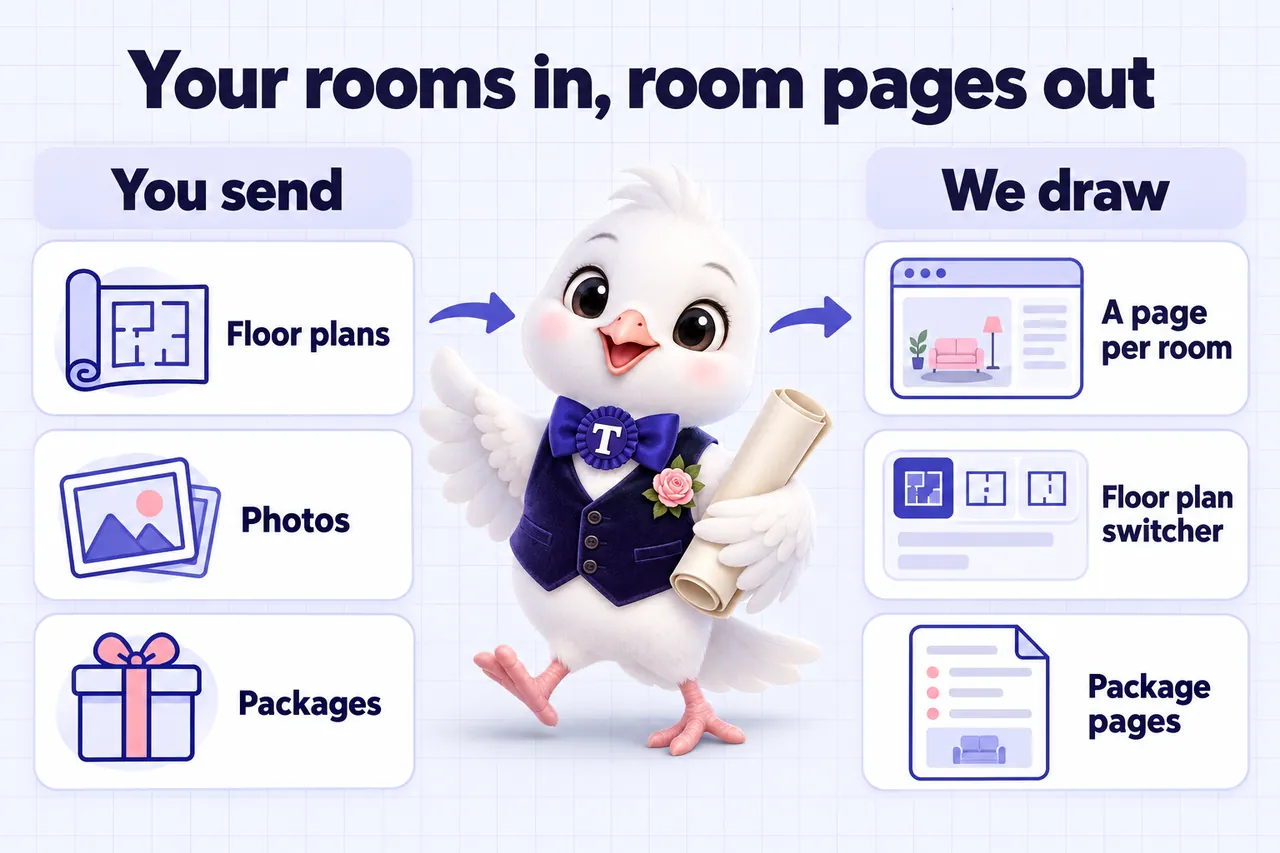
A venue site works when the visitor sees the version of your space that matches the event in their head. That is a filing problem as much as a photography one.
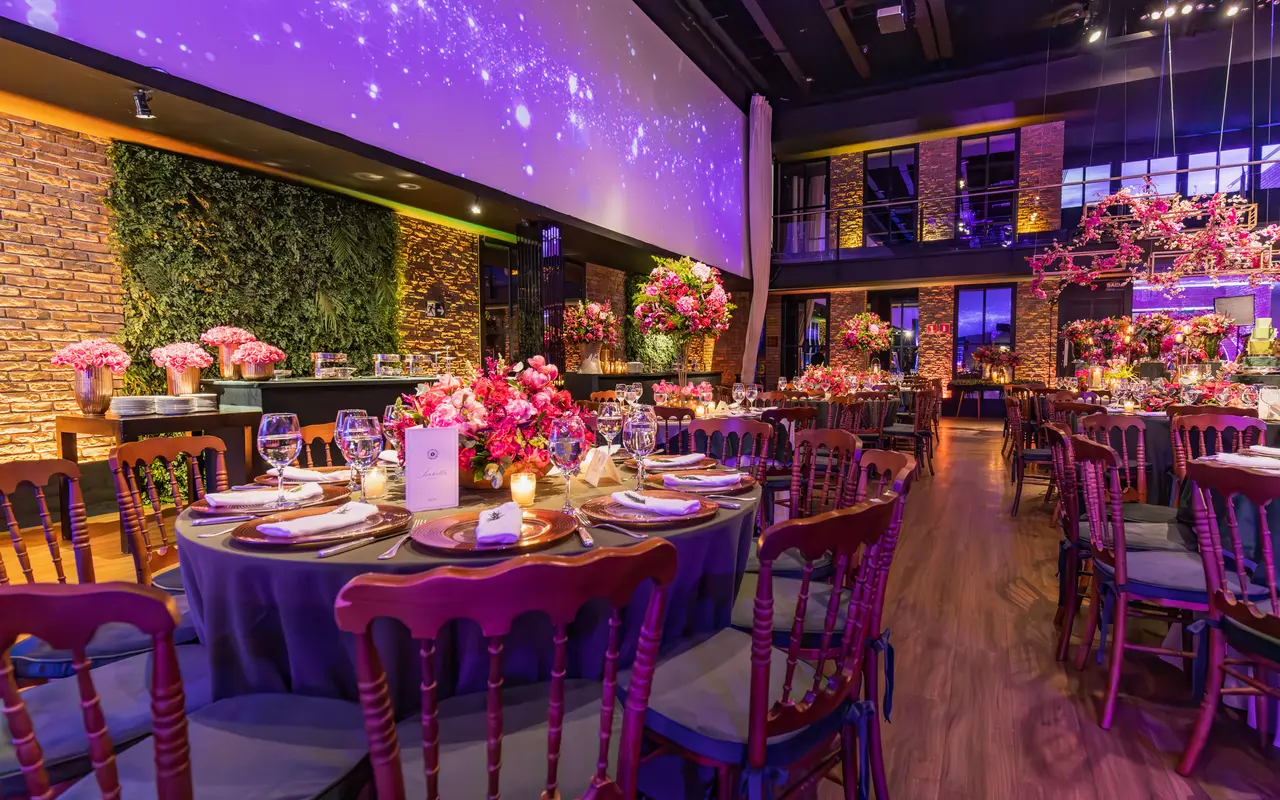
The layout most inquiries are picturing. It belongs on the room page with its own figures, not in a mixed gallery.
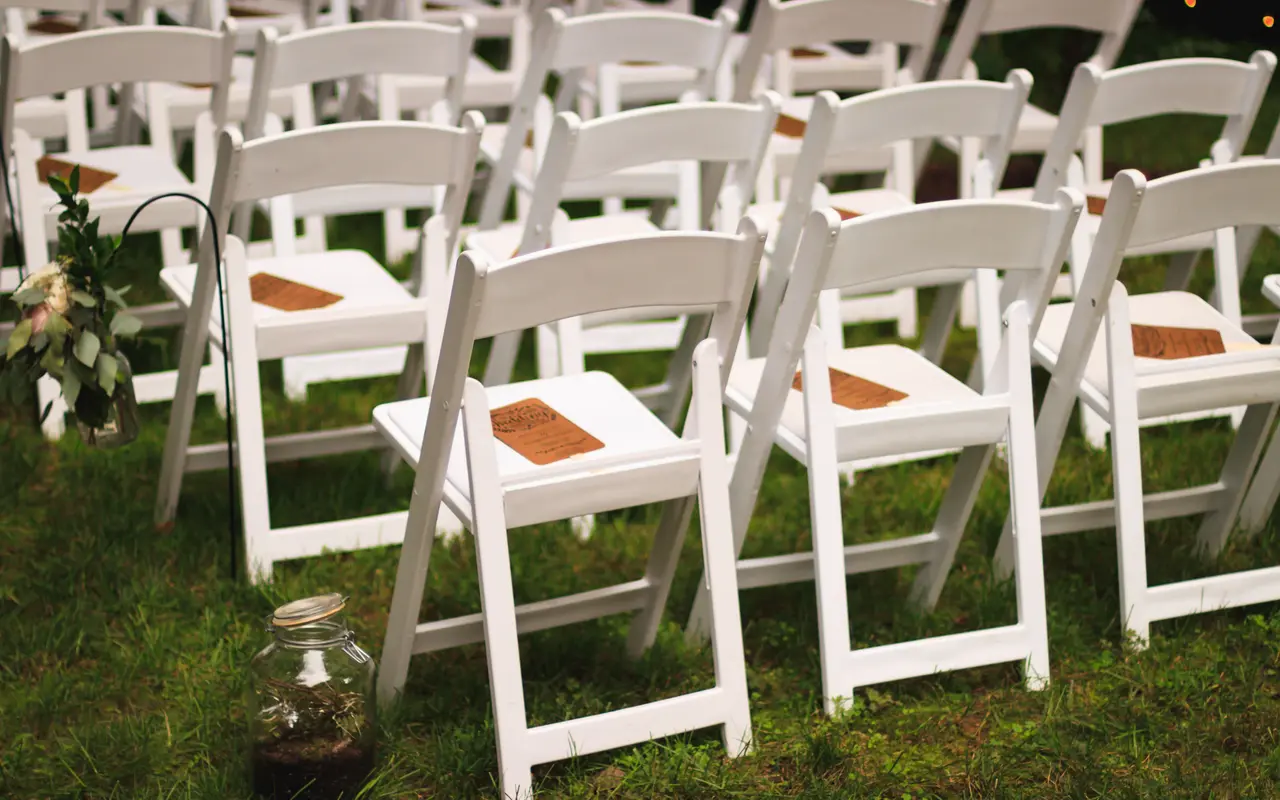
Outdoor ceremony sites sell on the photograph and convert on the rain plan. Both go on the page.
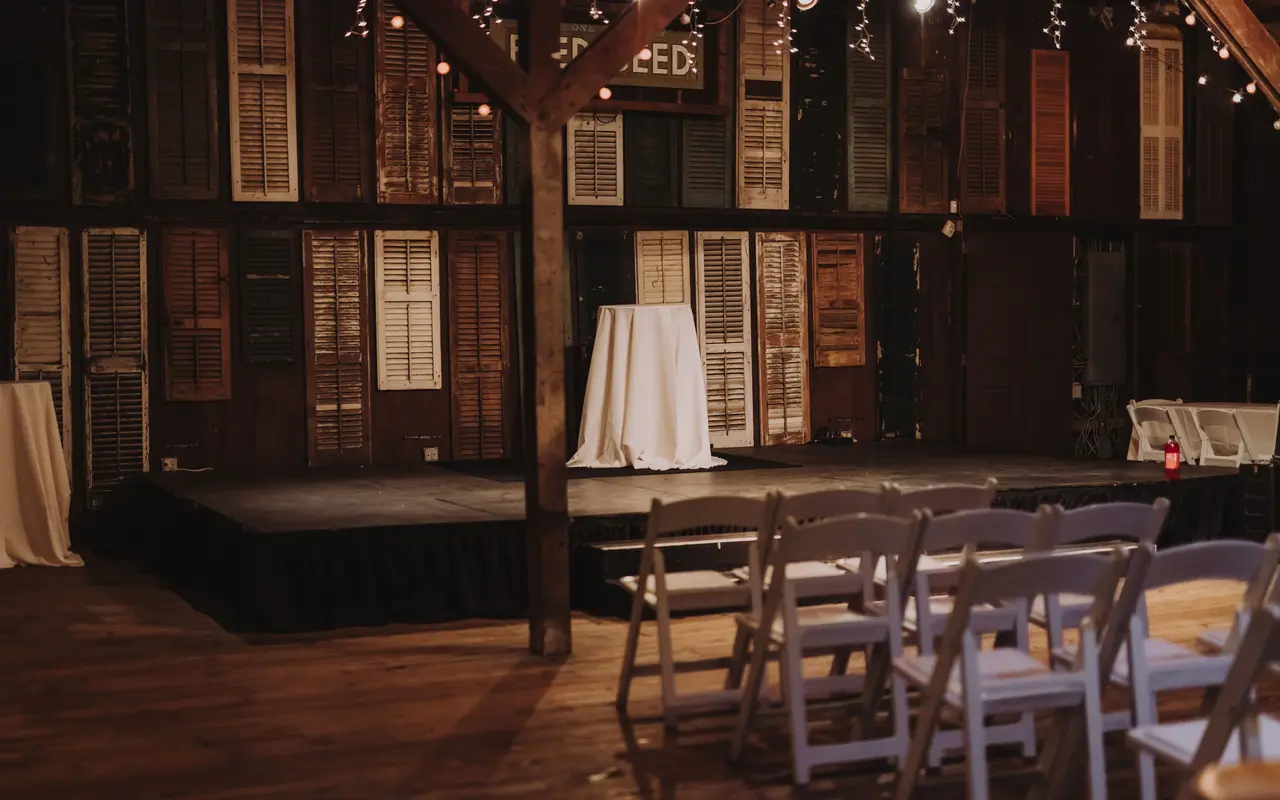
A barn photographed bare reads as a shed. The same barn dressed reads as a venue.
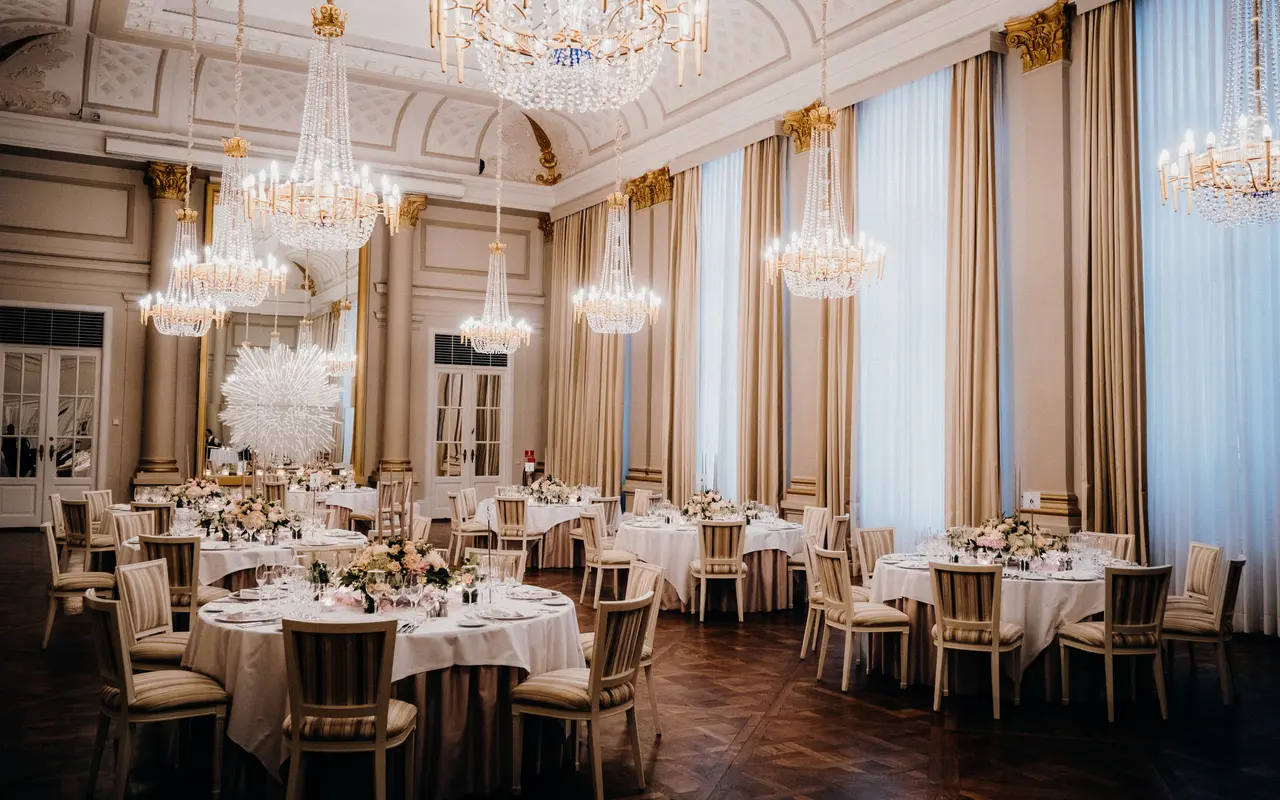
Hotel event space needs its own pages rather than a tab inside the guest rooms site.
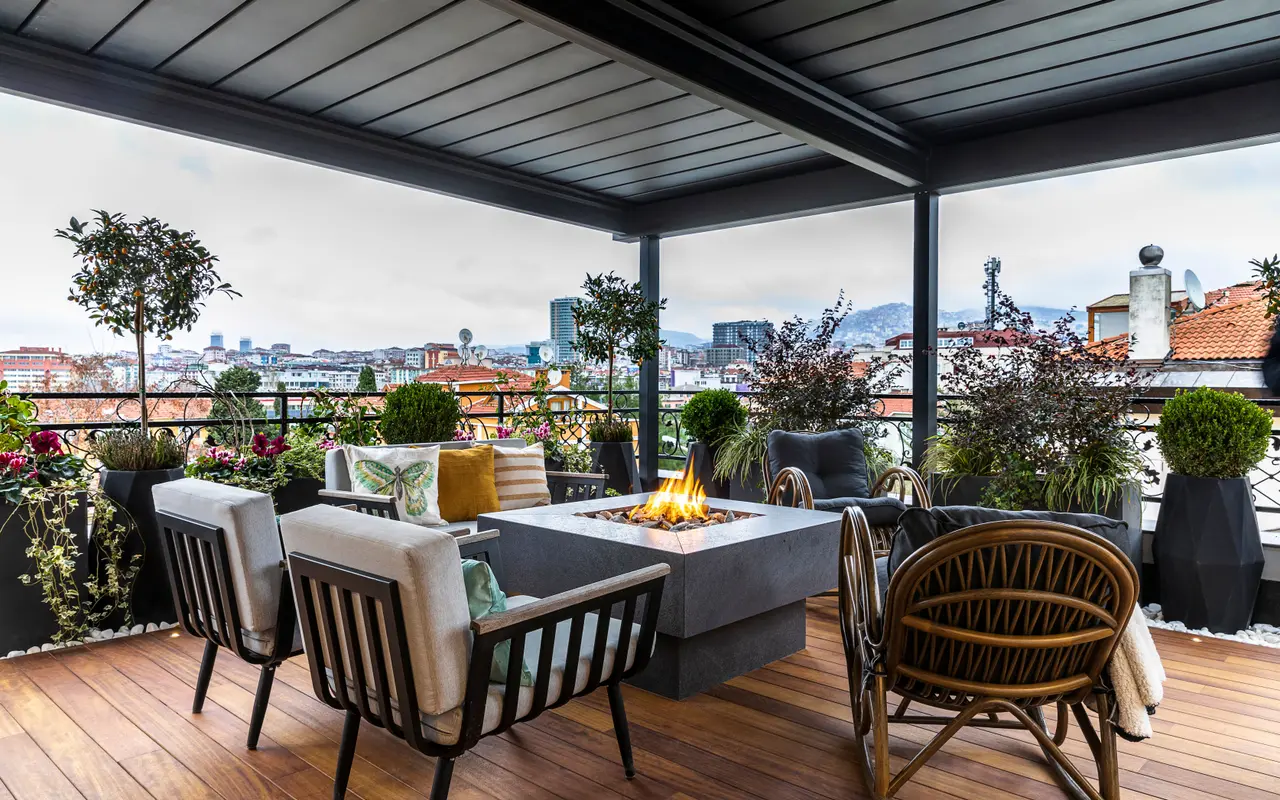
Cocktail capacity is a different number from seated capacity, and visitors want both.
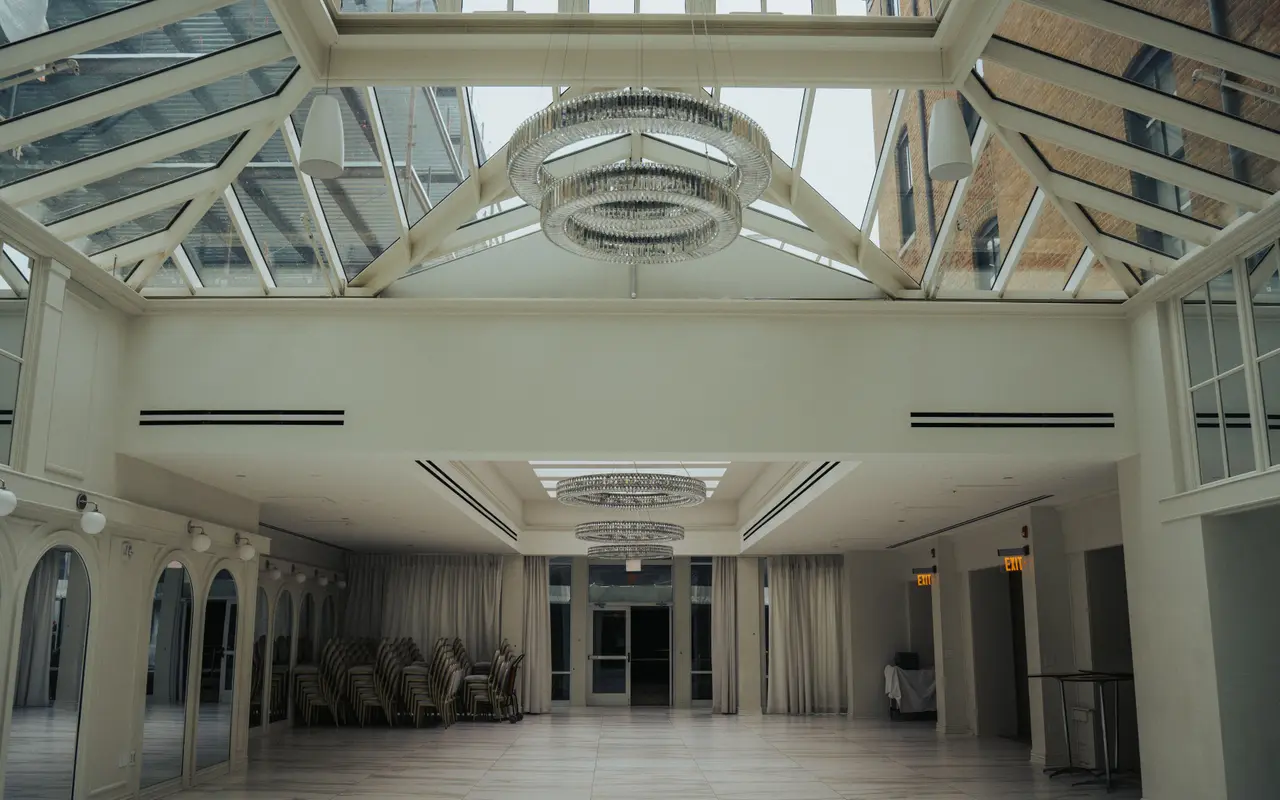
Useful once, for scale. Leading with it is the single most common venue website mistake.
The photographs above are licensed stock used to illustrate layouts, not work from a client venue. Your site is built from your own photography, grouped by room and by setup.
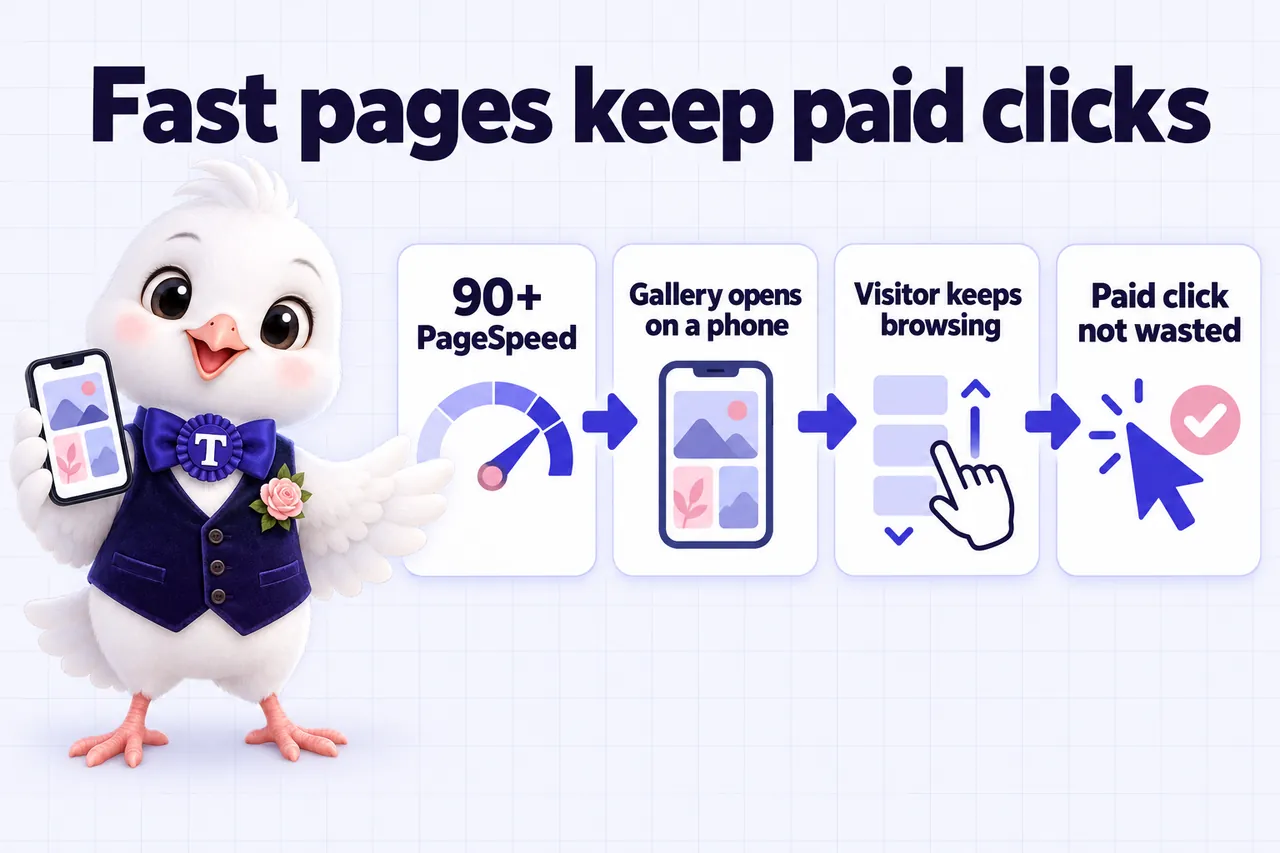
Every plan commits to a 90+ PageSpeed score at launch, and keeps it there as your photographs and pages are added. That is not a vanity number, it is the condition the rest of this section depends on.
90+
Google PageSpeed, mobile and desktop, guaranteed on the pages we build and host. If a page falls below it because of our work, we fix it at no charge.
How we keep it thereEvery visitor from an ad, a directory listing or a bridal show flyer cost you something before they arrived. If the gallery is still loading when they lose patience, that money is spent and nothing came back. A page that is usable immediately keeps more of the traffic you are already buying.
Google states that Ad Rank calculations can include auction-time quality measurements such as expected click-through rate, ad relevance and landing page experience, and that higher quality ads can often lead to lower cost per click. A faster, more relevant venue page is therefore one of the levers you control. We will not promise you a number, because nobody honestly can.
A couple comparing venues is usually on a phone, often on a weak signal, often between other things. Google advises advertisers to improve landing page loading speed and to make the site mobile friendly, and says the speed a page loads at can be the difference between someone bouncing or buying. That is the visitor we build for first.
Google says its core ranking systems look to reward content that provides a good page experience, while also being clear that there is no single page experience signal. Speed is not a shortcut to ranking. It is one of the conditions that stops good content being held back.
Where these statements come from
We make no claim about what your cost per click will be, and no claim about rankings. Google's own Quality Score documentation notes that Quality Score is a diagnostic tool rather than an input in the ad auction, which is why the argument above is about landing page experience inside Ad Rank instead.
Four different jobs, all included on every plan. Here is what each one means for a venue, what we build, and what it honestly does not promise.

Being found by someone typing the name of your town next to the words wedding venue.
Not a ranking guarantee for a term outside your area or your services, and not a shortcut around having real pages worth finding.
Being the answer that gets lifted out of the page, in a featured snippet, a voice result or an AI summary.
Not a promise of a snippet. Engines choose; we make the page the easiest thing to choose.
Being cited by assistants such as ChatGPT, Claude, Perplexity and Google AI Overviews when someone asks them about venues in your area.
Nobody can guarantee an appearance in an AI answer. What we can do is make your venue the clearest, most citable source about itself.
The machine-readable summary underneath each page, telling search engines exactly what they are looking at.
Structured data does not buy a ranking. It removes the guesswork, which is what makes rich results possible.
Assistants and search engines are named here as plain text only. We are not affiliated with any of them, and nothing on this site implies endorsement.
Walk to a table to read what that client said. Every quote names the person, their role, the kind of venue and where it is.
A plan of one room. Walk to a table to hear what that client said.
If you only look at the design you miss the best bit, which is the inquiry form. Every submission arrives with event date, guest count and room preference filled in, which used to take us a second email to obtain. Most mornings I can prepare for the callback from the first message alone.
The starting point was our own sent mail, not a template, and it shows. Each answer was reviewed by our own staff, so the page sounds like us rather than a copywriter. The phone calls about basic event space inquiries details have noticeably thinned out.
We took the wording about event space inquiries seriously, and I am glad we did. The page describes the process faithfully and leaves the judgment calls to a conversation with our team. Correcting the site's accidental promises is no longer part of our calls.
The after-hours side of event space inquiries was an afterthought on the old site. The form captures what a callback needs and says clearly that a person replies in working hours. I arrive to a usable list instead of piecing together scraps from three channels.
Not a promise about bookings, which depends on your rooms, your pricing and your market. A description of what changes about the week.
A planner opens the ballroom page on her phone between meetings, switches it to theatre layout, reads the figure, and sends an inquiry with the date and the headcount already in it. Nobody at the venue touched anything. The first your team knows is a complete inquiry in the system they already work from.
A couple asks whether the barn is heated in March. The question is answered from your own policies while the office is closed, the inquiry is captured with the date attached, and your coordinator sees it with a coffee on Monday instead of a missed voicemail.
The divider wall configuration changes and the capacity figures move. You write two sentences in the client portal. Inside 2 to 5 working days every page carrying those figures is correct, including the floor plan switcher and the package comparison.
Articles have been going out every week about rain plans, guest counts, layout choices and the towns you draw from. People now arrive on those and walk into the room pages. The traffic is not borrowed from an ad budget, so it does not stop when a campaign does.
The first fifteen minutes are no longer spent describing geometry, because they already saw the room four ways before they called. The conversation starts at the date and the package, which is where a booking actually gets made.
Nothing renews. Hosting, SSL, the certificate, the bandwidth and the domain all sit inside one monthly fee, and the only invoice you have seen since launch is the one you approved when the site went live.
Live in 7 days on The Walkthrough.See it on your rooms first
Here is the whole arithmetic. The first year includes the one-time $697 build fee, which is invoiced only after your site is live and approved. Every year after that is twelve monthly payments and nothing else.
| Plan | Monthly | First year, including the build fee | Every year after |
|---|---|---|---|
| The Walkthrough The managed site, complete | $127 | $2,221 | $1,524 |
| Booked Solid Adds the AI Engine, billed plus usage | $267 | $3,901 | $3,204 |
| Every Season Highest article volume | $647 | $8,461 | $7,764 |
Figures are the plan price multiplied by twelve, plus the one-time build fee in year one. The plan that adds the AI Engine is billed monthly plus usage, so its total will sit above the figure shown here by whatever that usage comes to.
We are not going to invent an average booking value for your venue, because it depends on your rooms, your packages and your market, and a number we made up would not survive contact with your accounts.
You already know it. Put it beside the yearly figure in the table. For most venues the comparison is one or two dates against a full year of the site, the hosting, the changes and the articles. That is the whole argument, and it either works for your numbers or it does not.
See exactly what each plan carriesEvery plan includes managed hosting, weekly researched articles and the floor plan and capacity switcher. The $697 build fee is only invoiced once your site is live and approved.
Plan 01
The Walkthrough
The website, fully managed
$127/ month
Plan 02
Booked Solid
Everything, plus the AI Engine
$267/ month + usage
Plan 03
Every Season
Everything, plus the Content Engine
$647/ month
Six commitments, each with its limit printed underneath it. A guarantee with the conditions hidden is a sales line, not a guarantee.
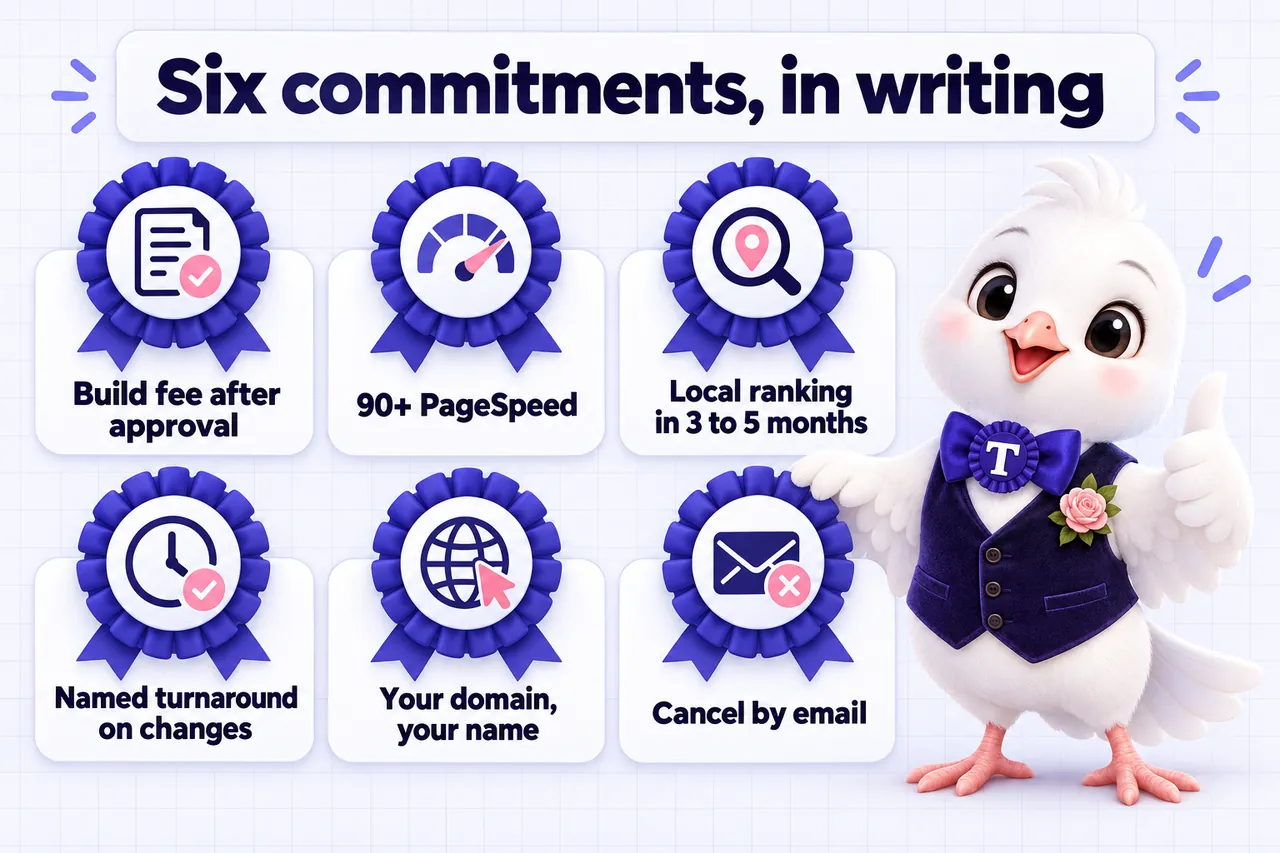
The $697 one-time build fee is invoiced only after your site is live and you have approved it. Revisions during the build are not counted against your monthly allowance, because the fee is not due until you say it is ready.
Monthly fees are paid up front from the start of the build.
We guarantee a Google PageSpeed score of 90+ on mobile and desktop for the pages we build and host. If a page falls below that because of our work, we fix it at no charge.
It does not cover changes you or third parties make, or content published against our advice.
We guarantee your site starts ranking for local searches in your area within 3 to 5 months of launch. If it has not, we continue the search work at no additional charge until it does.
It does not cover terms outside your area or your services, and the remedy is the work rather than a refund.
5 change requests a month, of any size, each completed within 2 to 5 working days. Additional ones are a flat $20 with no hourly billing and no minimum.
Unused changes do not carry over to the following month.
The domain is registered in your name rather than ours. If you leave, tell us where to send it and we transfer it at no charge.
One domain is included free for as long as the plan is active.
Email us to cancel. With valid notice no further invoice is raised and your site runs through the end of the paid month.
Notice must reach us at least 2 business days before your invoice date, 9:00 to 17:00 Central, Monday to Friday. All sales are final, so no fees already paid are refunded.
The full wording lives in the terms and conditions and the refund policy, and those pages govern if anything here reads differently.
Three more quotes, from three different kinds of property, about the specific thing each one bought.
Most of our visitors are on phones, so that is where I reviewed the new event space inquiries pages. Key information comes first and the contact option is clearly labeled. The days of talking customers through the menu are over.
My sign-off test was to submit the event space inquiries form with every mistake I could invent. Labels stay put, errors explain themselves, and valid answers survive a failed attempt. It behaves the way we assumed forms behaved, until we tested the old one.
I could never prove what we had approved for the event space inquiries page, because nothing was written down. The request format is short and explicit, and the preview shows exactly what will change. Far easier than narrating edits and hoping they survived the telling.
Most venues start on a directory profile or a page-builder template. Here is what changes when the site is built around your floor plans instead.
| Feature | Directory listing | VenueWebStudio |
|---|---|---|
| Dedicated page per room | ||
| Floor plan and capacity switcher | ||
| Calendar-style inquiry with date and headcount | ||
| Inquiries routed to your CRM | ||
| Weekly researched articles | ||
| After-hours AI answering | ||
| 90+ PageSpeed guarantee | ||
| You own the domain |
Each of these starts by agreeing with the part that is true. There are 10 full comparison pages if you want the long version.
True, and for a single room with one package that may well be the right call.
What the monthly fee buys is the work rather than the software: the build, 5 changes a month inside 2 to 5 working days, the hosting, the weekly articles and the speed commitment. The builder subscription is cheap; the hours are not, and they come out of the same week as running events.
Wix compared in fullMost venue sites are fine on launch day. Very few are fine two seasons later.
The specific losses are invisible: the Friday evening visitor who could not find a capacity figure, the weekend question that waited until Monday, the new ceremony site with no page for anyone to find. None of those arrive as a complaint, which is exactly why they go on happening.
See every alternative comparedIf your agency is keeping the site current and it is getting found, you should not.
The pattern worth checking is whether the programme you pay for points at a website nobody has changed in two years. Plenty of venues run both: the agency does brand and media, we run the destination all of it points at, and the scopes are written so nobody pays twice.
Agency versus managed siteIt has a website and funnel builder, and keeping the site beside your pipeline is a genuine advantage.
The part that stays with you is building and maintaining every room page, every capacity table and every seasonal change. Keep the CRM, keep the funnels for campaigns, and let the site that has to be found and stay accurate be somebody else's job. We route the inquiries straight into your account.
The HighLevel comparisonA fair question, and the reason the payment terms are shaped the way they are.
The build fee is invoiced only after your site is live and you have approved it, and revisions during the build are not counted against your monthly allowance. You see the design on a demo call before anything starts.
Book the walk-through firstSome venues genuinely are, particularly a single room that rarely changes.
The threshold is not size, it is whether the site has to stay accurate and be found. One barn sold in four layouts across a season has more information to keep straight than a three-room hall that only ever books weddings. Plans start at $127 a month and launch in 7 days.
What each plan costsEverything happens over a call, a form and a client portal, so where your venue sits changes the content rather than the service. Prices are in USD and the work runs Monday to Friday, 9:00 to 17:00 Central.
Ranch and hill country venues that sell a spring and fall season and go quiet in August heat.
Vineyard, coastal and estate venues where the outdoor ceremony site is the thing being booked.
Waterfront and resort function space where every inquiry asks about the rain plan first.
Loft, rooftop and historic venues in the city, barn and lakeside venues upstate, priced worlds apart.
Banquet halls and event centers running several rooms and several cultures of event in the same week.
Historic estates and garden venues where the ceremony lawn and the reception hall are sold as one package.
Barn and farm venues with a real seasonal calendar and a long drive from the nearest airport.
Historic properties and hotel ballrooms where the restrictions matter as much as the photographs.
Desert and resort venues that sell winter dates hardest and need the season stated on the page.
Event centers and halls that fill on corporate weekdays as well as Saturday weddings.
Not on the list? The list is the states venues ask about most, not a limit. We build for venues anywhere in the United States, and the service area pages we build for your site cover the cities and counties you genuinely draw from.
Tell us where you areEvery venue type books differently. The pages, the tool and the plan shift to match.
A wedding venue website earns a booked date when the first screen answers what every couple is actually comparing: what the room looks like set for a ceremony and reception, whether their date is even open, and what it costs to hold it. Everything else on the site exists to get a couple to that answer faster than the venue down the road.
See the buildA banquet hall website has to sell several different rooms to several different kinds of buyer at once, a corporate planner booking a Tuesday conference and a family booking a Saturday quinceañera, without either one wading through pages meant for the other. The fix is separate paths in from the homepage, each landing on the room and pricing that actually fits.
See the buildA barn venue website has to answer a question a ballroom never gets: what happens to this wedding if it rains, and is the venue even open in November. Couples researching a barn wedding are already weighing weather risk, so a site that shows the rain plan and the real operating season up front closes more of them than one more string-light photo does.
See the buildA hotel or resort with function space loses events business when its meeting and wedding rooms are buried three clicks under the main room-booking flow built for overnight guests. A separate events wing, linked clearly from the homepage but built and run apart from the reservations engine, gives planners a path that speaks to their booking, not a guest's.
See the buildA historic estate or mansion website has to do something a modern venue site does not: explain, before a couple ever books a tour, that the property has real restrictions on vendors, decor and noise because it is a protected or heritage building. Stating those rules clearly up front, alongside the history that makes the estate worth booking, screens in couples who are genuinely a fit and screens out the back-and-forth that follows when rules surface late.
See the buildA rooftop or garden venue website converts best when it answers the outdoor question directly: what the space looks like set for a ceremony, what happens if it rains, and what local noise or permit rules apply to an evening event. Couples shopping an open-air venue are already weighing that risk, so addressing it on the site removes the single biggest reason they hesitate to book.
See the buildResearched articles on showing your rooms, handling inquiries and being found in search.
The most common ones. Every answer is on the full FAQ page.
A room-by-room site built around your floor plans, capacity, packages and availability, on The Walkthrough, Booked Solid or Every Season. Every plan includes managed hosting, 5 revisions a month, 2 to 3 researched articles a week depending on tier, and a floor plan and capacity switcher for your rooms. The $697 one-time build fee is invoiced only after your site is live and approved.
7 days on The Walkthrough, 10 on Booked Solid while the AI agents are trained on your rooms and policies, and 15 on Every Season with the content engine running from launch. The clock starts once your onboarding call is done, so the sooner your floor plans and photos are in, the sooner the room pages go live.
You fill in the onboarding form, which asks for your rooms, capacities, packages, photos, brand details and where inquiries should land. It takes about 15 minutes. Anything you do not have to hand, such as a finished floor plan, can follow later by email or as a ticket in your client portal without holding up the build. One onboarding call then fills any gaps and sets the launch date.
No. A rough sketch, an existing PDF from an architect, or even room dimensions are enough to start the floor plan and capacity switcher. We build the inline diagrams from what you provide and refine them once your real capacity figures are confirmed, so a missing final plan never delays the rest of the site.
The monthly fee for your tier is paid up front: $127, $267 plus AI usage, or $647 a month. The $697 one-time build fee is invoiced only after your site is live and you have approved it, never before.
Email us saying you want to cancel, and the message must reach us at least 2 business days before your next invoice date, during business hours of 9:00 to 17:00 Central, Monday to Friday. A message sent outside those hours counts from the start of the next business day, so a weekend email does not give 2 business days of notice for an invoice due Monday or Tuesday. With valid notice, no further invoice is raised and your site runs through the end of the paid month.
A live walk-through, on your screen, in about 30 minutes. Plans from $127 a month, the $697 build fee invoiced only after launch.
VenueWebStudio uses the cookies below. Necessary cookies keep the site working and cannot be turned off.
Saved on this device only. Press Esc to close.